

Understanding Agents – Agent Types and Customized Agents
incoreon offers two kinds of agents: own agents for self-defined tasks and shared agents that the administration has released for use. For complex, company-specific requirements, incoreon develops Customized Agents on request. This chapter explains what makes up an agent and supports the selection of the right agent type.
License
The agents overview is included from the Pro license.
What Are Agents Suited For?
- Pre-checking vacation requests so that only unclear cases go to a person
- Accompanying new employees during onboarding and answering questions about internal processes
- Capturing contract data from documents and providing it on request
- Automatically summarizing incoming e-mails and filing them as information
What Are Agents?
An agent is an AI program specialized in a specific task – like an employee who is responsible for exactly one area of work. For this, it receives a fixed instruction, matching knowledge, and capabilities (e.g. internet search or e-mail access).
Every agent consists of six components:
- Name – the agent's name; it appears on the card in the agents overview.
- Description – a brief statement of what the agent is responsible for; it also appears on the card.
- Instruction – the permanently stored base description: Who is the agent, what should it do, in what frame? It applies to every conversation.
- Language model – the software inside the agent. It understands text inputs and generates answers.
- Capabilities – functions the agent can use, e.g. internet search, calculations, or reading a mailbox.
- Knowledge – files and information the agent draws on, e.g. policies or contract data.
How the components are set up in detail is described in the chapter Agent Components in Detail.
Own Agents
Own agents come about in two ways: They are created from scratch or adopted as a finished template from the Agent Library and adapted afterward. With own agents, all components can be configured freely – from the instruction via capabilities and knowledge to sub-agents and automations.
License
Creating and editing own agents requires the Builder license as well as global administrator or group admin rights (see Roles and Permissions).
How own agents are created is described in the chapter Creating and Configuring Agents.
Typical tasks:
- Having data analyzed and structured, e.g. recurring analyses for the team
- Capturing, managing, and providing contract data on request
- Storing specialized project or compliance knowledge for the team
Shared Agents
Shared agents are created by global administrators or groups and released to specific users or groups for use. They behave like pre-installed tools: They are ready to use without the using person having to set anything up.
Shared agents cannot be edited by using persons. Instruction, capabilities, and knowledge are managed by the administration named under “Agent access” on the agent card.
Agents are visible and searchable only for the users they are assigned to. Anyone who wants to use a shared agent contacts the administration.
Customized Agents (company-specific agents)
Customized Agents are a service by incoreon: On request, incoreon develops agents for the requirements of a company. They are suited for complex, company-specific tasks that go beyond the configuration of own agents.
Typical tasks:
- Having processes mapped from start to finish when own agents are not sufficient
- Having specialized project or compliance knowledge set up by incoreon together with the company
Customized Agents are not created in the interface. They are set up by incoreon together with the company. Interested companies contact incoreon.
The Agents Overview
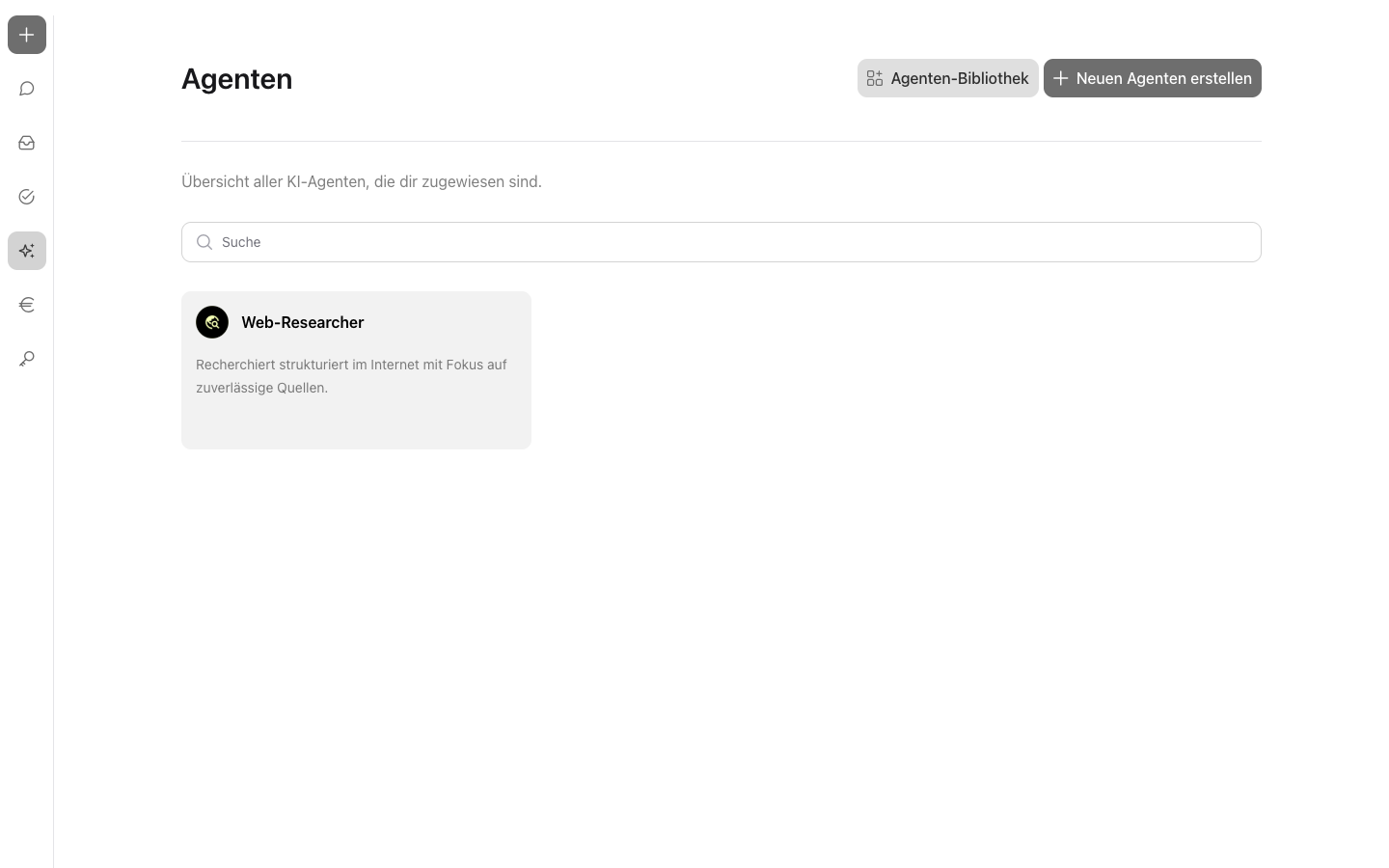
In the navigation,  opens the agents overview. The overview shows all assigned agents as cards with profile picture, name, and description. The search field at the top of the overview filters the cards by the agent's name.
Further hints appear on the cards and in the overview:
- “Agent access” – for shared agents with “Global administrators”
 or the name of the group that manages the agent.
 - “Shared agent” badge
 – marks agents that are released for use.
 - “Sub-Agents” badge
 – marks agents that bring in other agents for subtasks (see Multi-Agent Systems and Sub-Agents).
 - “Without agent access” divider – lists, for group admins, agents whose editing rights do not lie with their own account.
Users with management rights additionally see the “Create a new agent” and “Agent Library”  buttons at the top of the overview. If no agents are assigned, incoreon shows the note “No agents are currently assigned to you.”.
FAQs about Agents
What does the use of agents cost?
Every answer from an agent consumes tokens and can cause costs. Costs and limits can be viewed in the cost control (see Cost Control).